
How it works
One project, from the first question to a defensible answer.
Five stages, one Research Paper. Each stage below opens with what it does; the details are one click further, when you want them.
Armiger
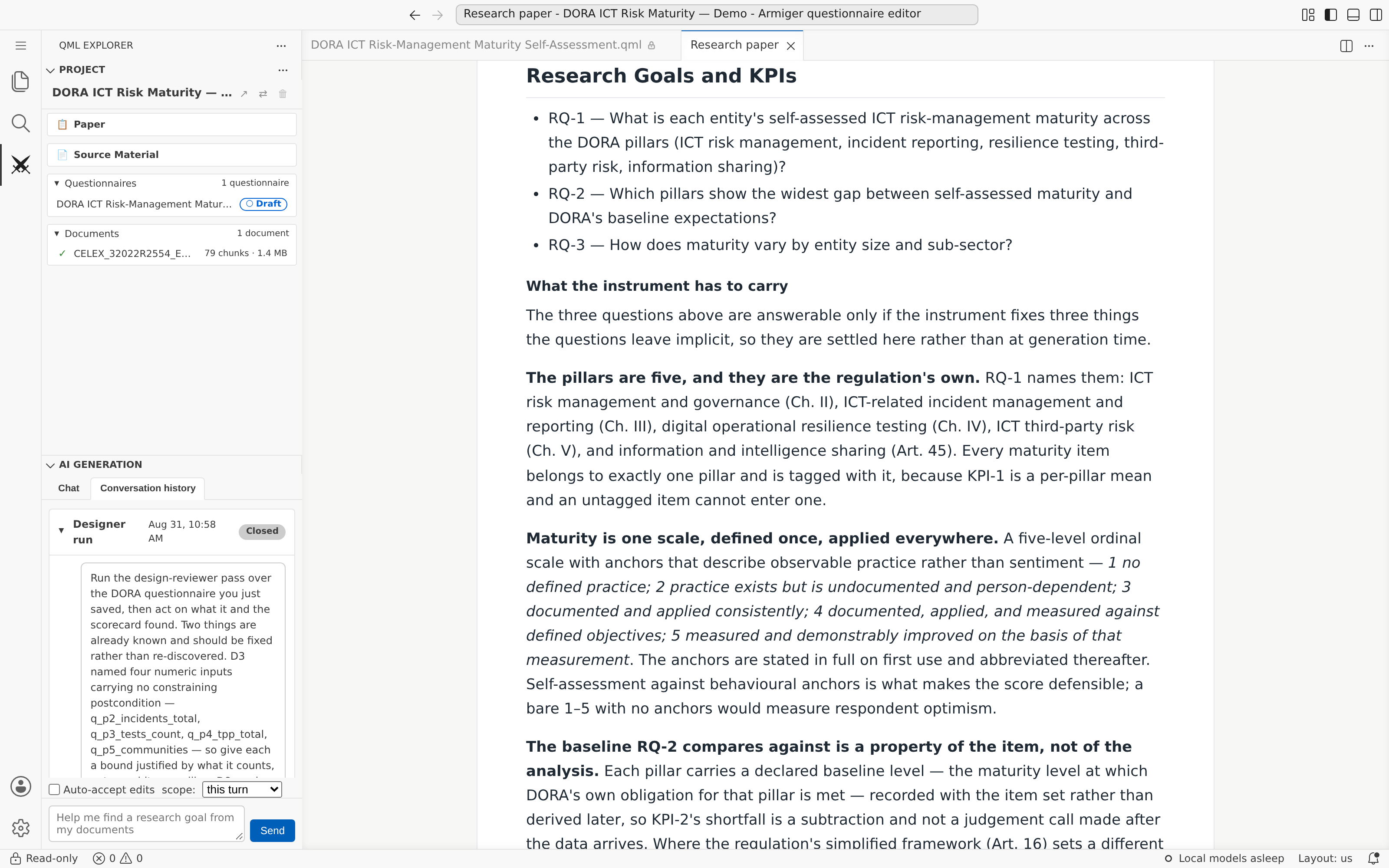
It starts with an idea — and the documents you already have.
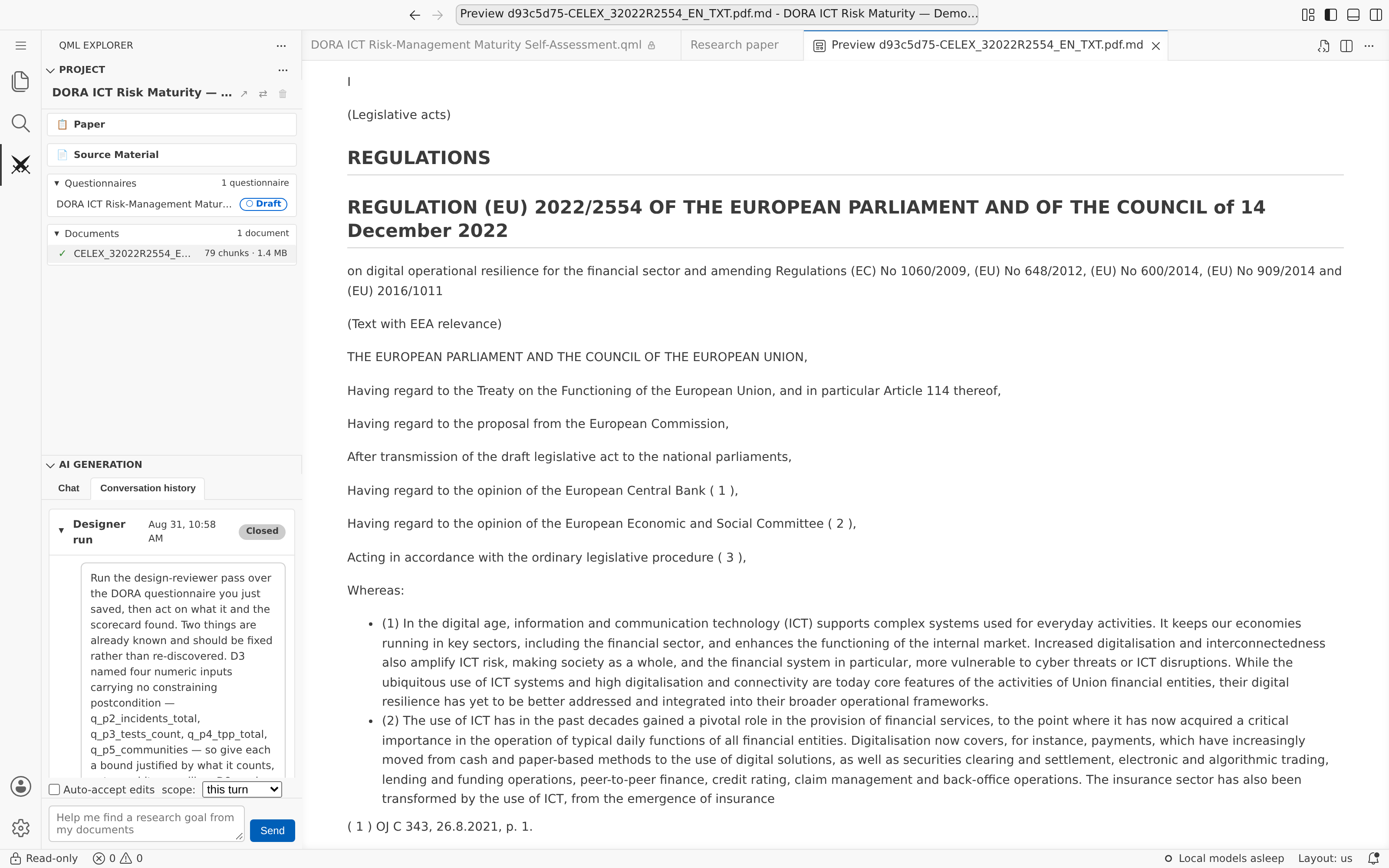
Upload what you have: research papers, regulations, clinical guidelines, policy documents, prior studies. The Research Assistant agent indexes them and works out with you the research goal, what to measure, who to ask and in what format — all written into the project’s Research Paper, the one document every later stage keeps adding to.
- Document ingestion — PDF, Word, spreadsheets and plain text, indexed for retrieval across large sets
- Collaborative scoping — the agent proposes goals, measurable constructs, KPIs, audience and format; you steer and approve
- The Research Paper — agent-written, human-read, printable, and marked stale when the data under a conclusion is re-run
More detail
Indexed documents are scoped to the project, so one team’s sources never answer another team’s questions. The same flow serves very different kinds of research:
The paper has one chapter per stage: the Designer writes the goals and the instrument, the Manager the population and the collection, the Analyst the Studies and the quality assessment. What a Research Paper is
Armiger
From a research goal to a verified questionnaire.
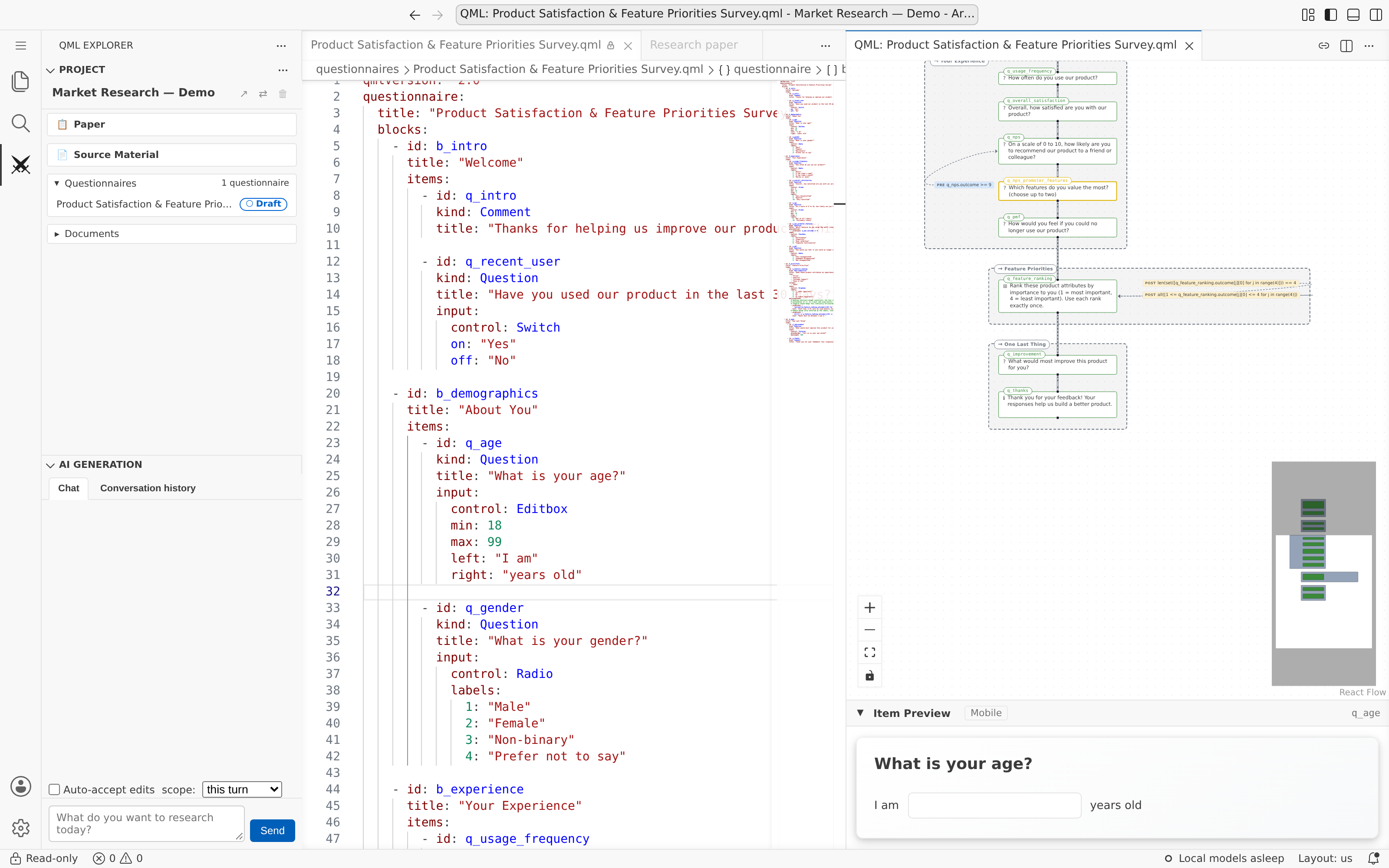
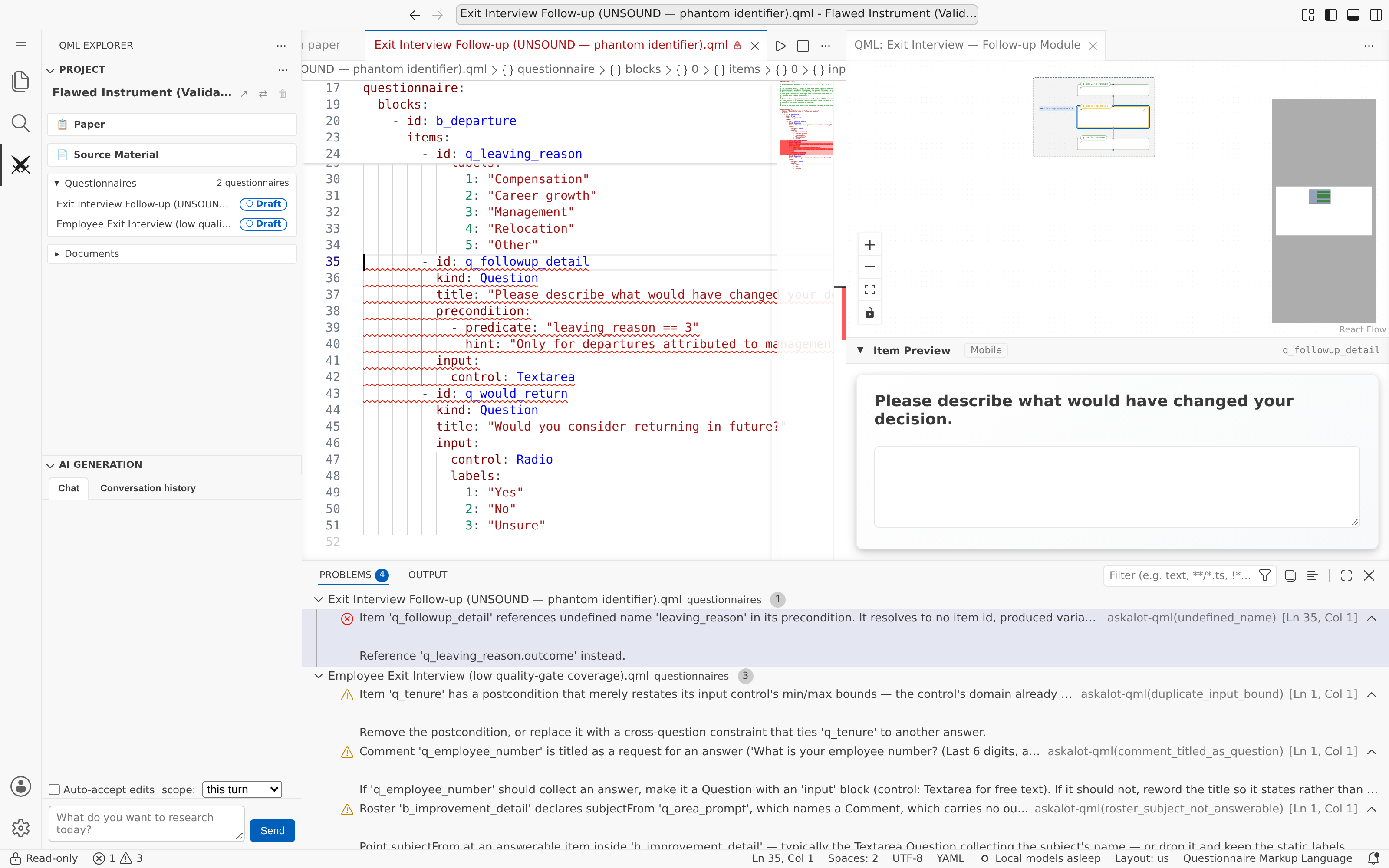
With the goals in the paper, you or the Designer agent write the questionnaire in QML: each question declares when it is relevant, and the compiler derives the flow. The SMT solver then checks every answer path for unreachable questions, impossible conditions and circular dependencies, and the agent iterates draft → check → fix until the questionnaire passes.
- Conditions and answer checks are expressions over earlier answers — count, add, multiply, compare — and they are verified like any other
- AI drafts QML from natural language or from the indexed documents
- A browser editor with the flow diagram and a live preview of each question
- A questionnaire can only be fielded once it passes verification
Logic other survey tools struggle to express
Several answers in one expression. Most survey tools compare one answer with a fixed value; a QML condition can combine as many answers as the rule needs. And they need not come first in the file: the engine builds a dependency graph from every condition and asks each question only after everything it depends on, so the question below could be written above its four inputs. A genuine loop — A depends on B and B on A — is refused, with the items named.
precondition:
  - predicate: "q1.outcome + q4.outcome > q7.outcome * q6.outcome"
Count as you go. Each statement adds its “Disagree” to a counter; after three, a follow-up block asks why.
codeInit: |
  negatives = 0
# on each statement
codeBlock: |
  if q1.outcome == 3:
      negatives = negatives + 1
# on the follow-up block
precondition:
  - predicate: "negatives >= 3"
Answers that must agree with each other. Nobody has driven longer than they could have held a licence, and a day still has 24 hours:
postcondition:   # on q_drive
  - predicate: "q_drive.outcome <= q_age.outcome - 17"
    hint: "That is longer than you could have held a licence"
postcondition:   # on q_commute
  - predicate: "q_sleep.outcome + q_work.outcome + q_commute.outcome <= 24"
Eligibility rules with real arithmetic. Lung-cancer screening questions only for people aged 50–80 with at least 20 pack-years (packs a day × years smoked):
precondition:
  - predicate: "q_age.outcome >= 50 and q_age.outcome <= 80
                and q_cigs.outcome * q_years.outcome >= 400"
Each is checked like any other condition. Make one impossible — answer ranges where Q1 + Q4 can never exceed Q7 × Q6, an age range that leaves no room for the driving years, minimums that add up to more than 24 hours, too few cigarettes ever to reach 20 pack-years — and the questionnaire is refused before anyone answers it.
What verification refuses, and what it only warns about
Refused at publication: a question no answer can reach, an answer check no answer can satisfy, a condition naming an answer no question produces, a circular dependency, and content that does not load.
Shown as a warning: dead code that only builds up along one path, hygiene findings (a variable written and never read, a duplicated bound), and conditions outside what the solver can decide, which are reported as coverage gaps rather than counted as proven.
Everything is checked against the questionnaire’s formal model, three ways: each item on its own, the whole questionnaire at once, and along every path. The validation hierarchy
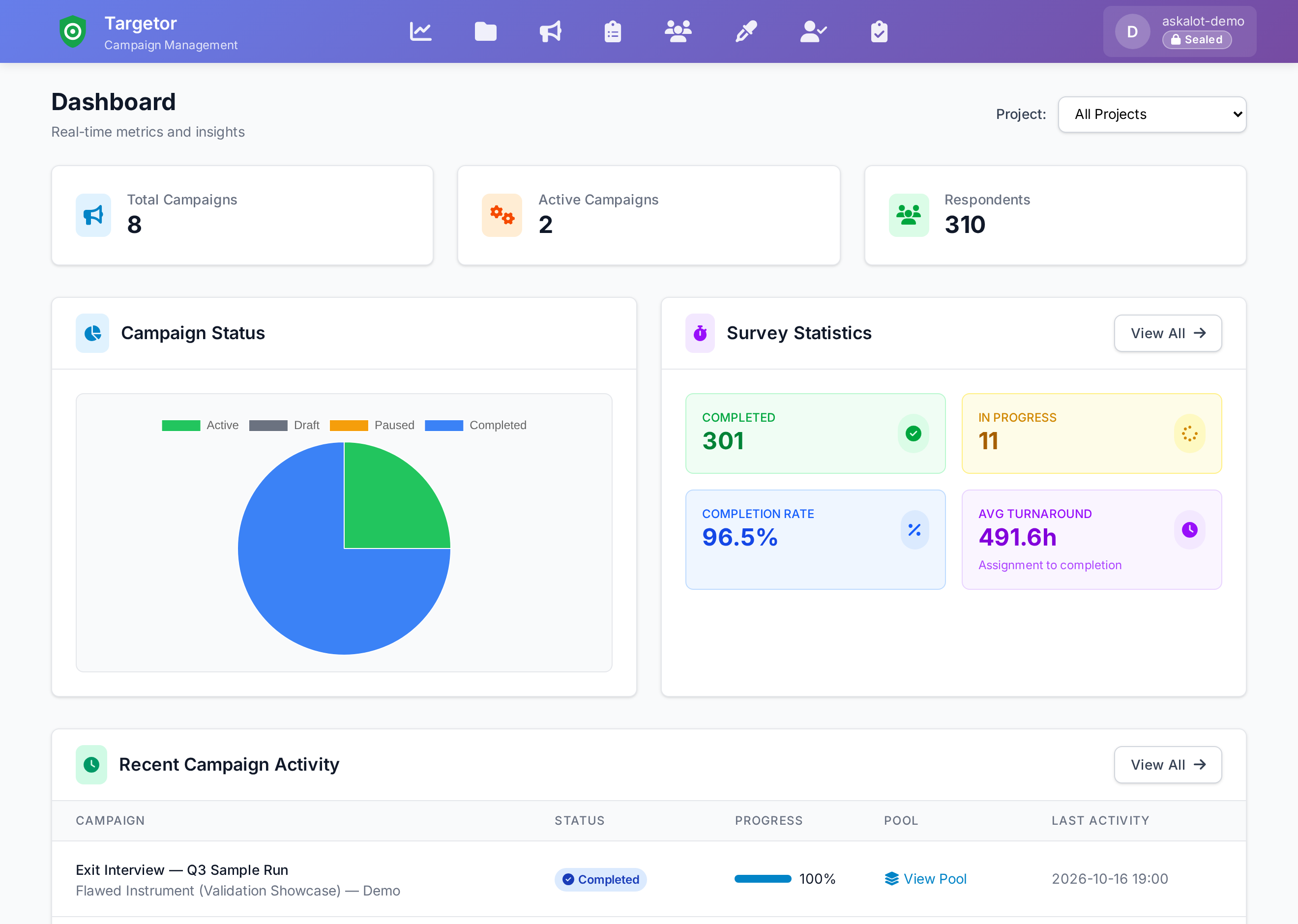
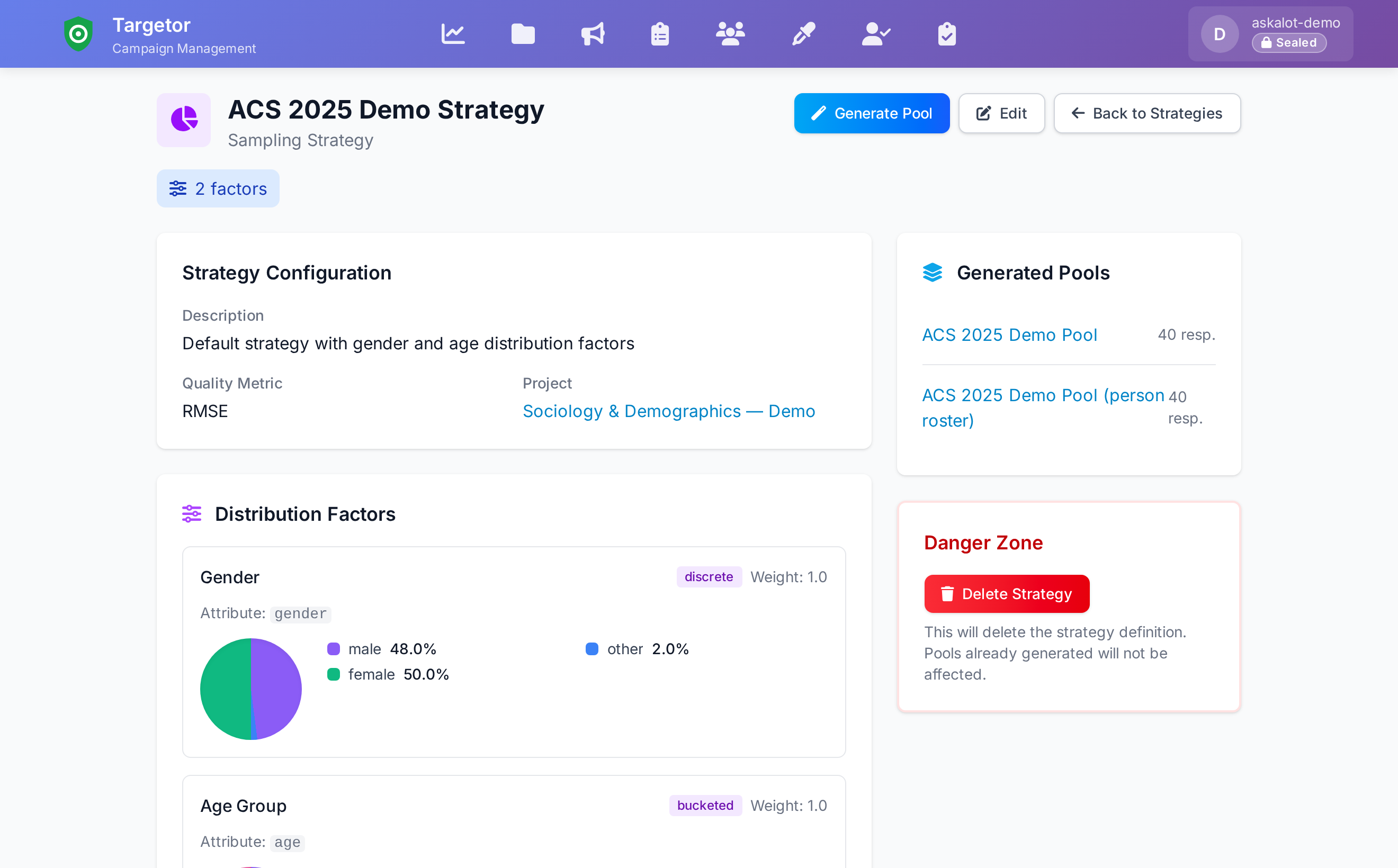
Targetor
Target the right audience. Field it in waves.
With the Campaign Manager agent, define a sampling strategy, draw respondent pools that match it, and plan the campaign as one run or recurring waves. Targetor generates the surveys and assigns them to interviewers — through a guided wizard, a chat with the agent, or your own agent over MCP.
- Sampling strategies with demographic distribution factors
- Respondent pools scored against the target distribution
- Invitations, progress tracking and interviewer workload in one place
The campaign wizard, step by step
- Campaign design — name, questionnaire, mode
- Target audience — demographics, sample size
- Sampling strategy — stratification factors, distributions
- Respondent pool — generate and preview its quality
- Review & launch — summary, validation, deployment
Pools are drawn greedily or by constrained random selection and scored by RMSE against the target. Once fielded, track response rates across every running study, refine a campaign mid-flight, and adjust interviewer assignments or pools as the field evolves — recurring waves keep collecting against the same strategy.

SirWay
Field exactly the questionnaire that was checked.
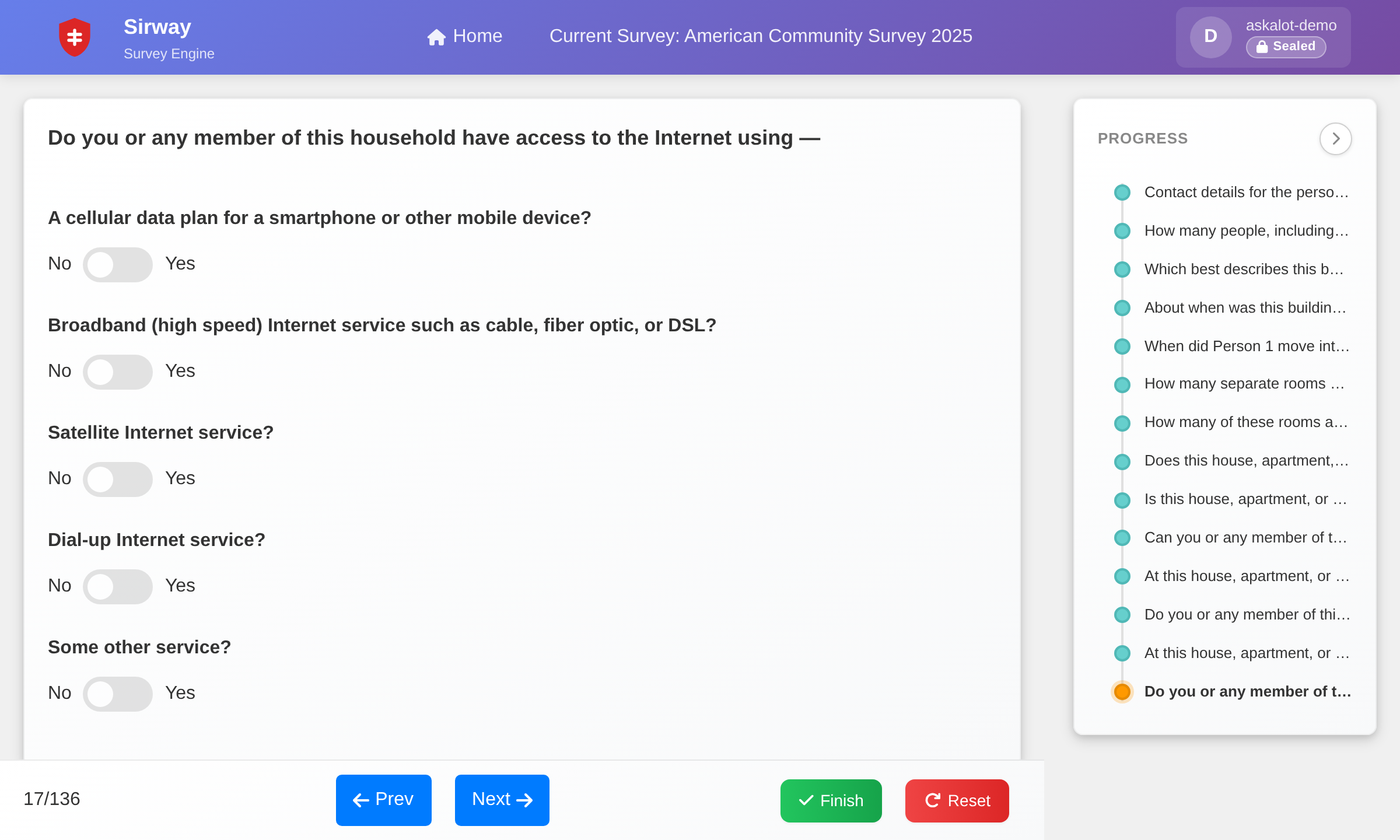
Three ways to answer: respondents open a link, an interviewer runs the interview by phone or in person, or the respondent takes it inside their own AI assistant. SirWay works out each next question from the conditions, so respondents see only what applies to them — walking the same flow the solver checked when the questionnaire was published.
- Direct (links), Interviewer-Assisted (phone and in person) and AI-Assisted modes
- Fields only a questionnaire version that passed the publish gate
- Backward navigation and progress for respondents
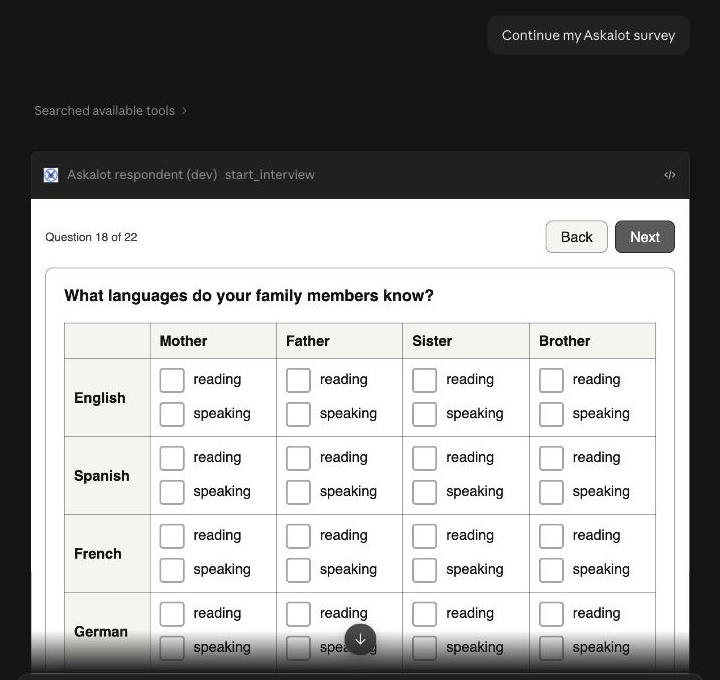
AI-assisted interviews
Computer-assisted interviewing put a questionnaire on the interviewer’s screen. An AI-assisted interview puts it inside the respondent’s own AI assistant. The assistant plays the interviewer: it introduces the survey and explains a question when asked. It never answers — every answer is the respondent’s own click.
How the assistant is kept out of the answers
- Offered per campaign, with the organiser’s own introduction and consent text
- Real controls in the chat, driven by the same verified flow as the web survey
- The assistant cannot record, change or skip an answer
- Completion is reported by mode, so channels can be compared
Balansor
Don’t just export results. Defend them.
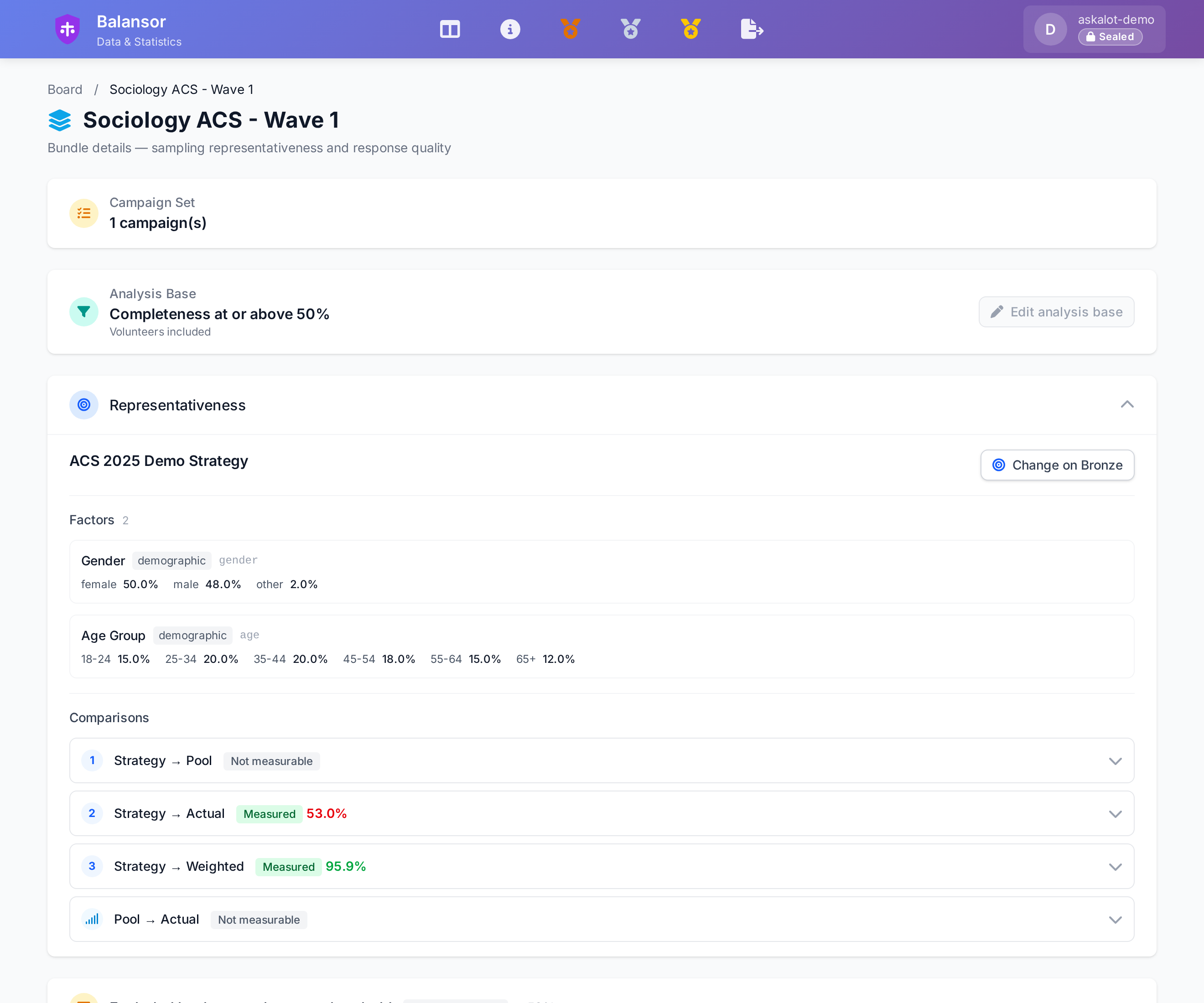
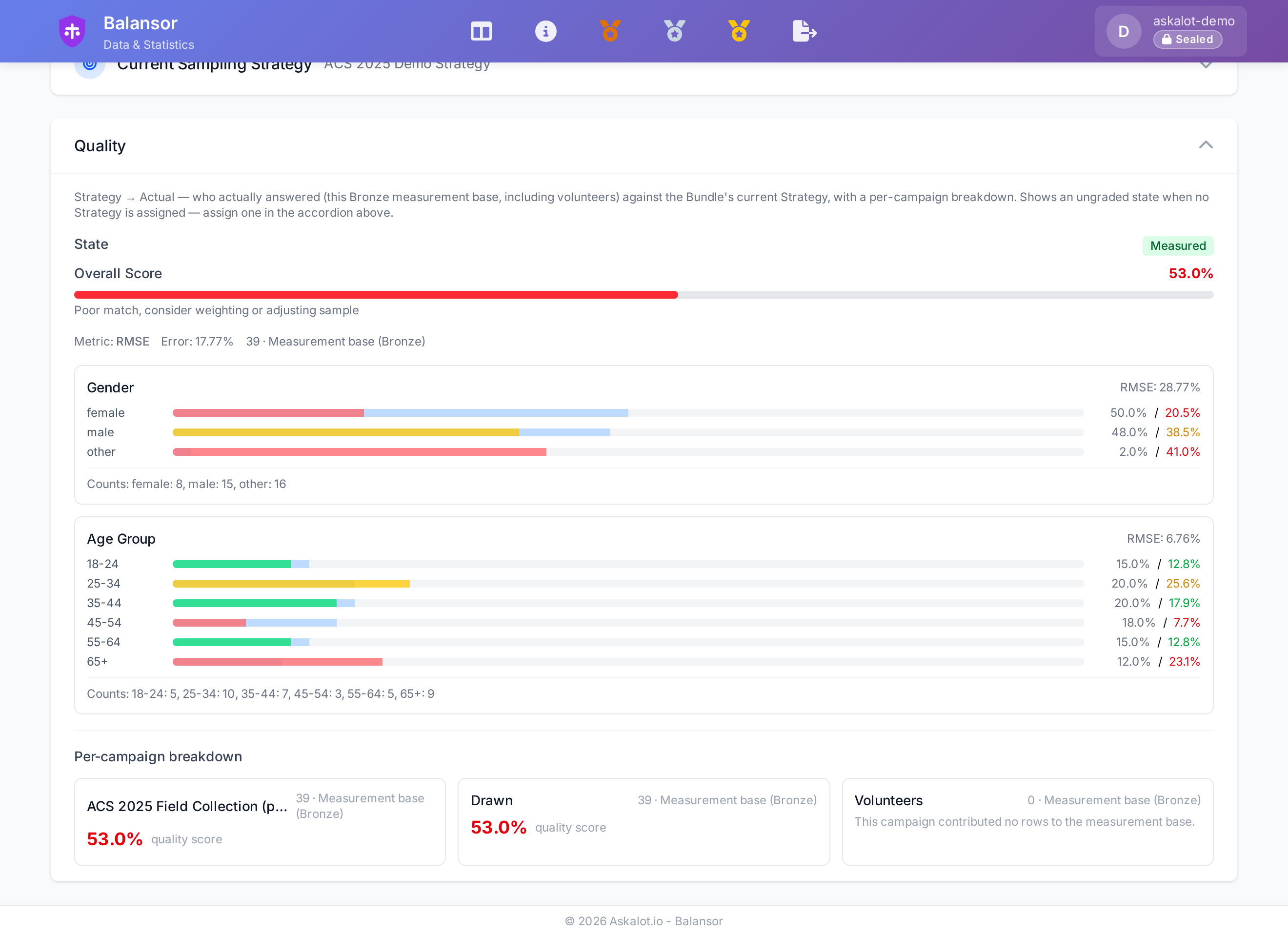
Extract the responses, check their quality, then weight them to the sampling strategy’s targets with raking. Every stage reports how representative, complete and consistent the data is. The Analyst agent reads the Research Paper, interprets the results against the original goals rather than in isolation, and writes its verdict back into the paper as a Study.
- Post-stratification raking, with lineage from raw responses to the weighted dataset
- Representativeness, completion, straightlining and speeder flags, reliability, design effect
- Export to CSV, Excel (.xlsx), SPSS (.sav) and Parquet
The dataset pipeline and the metrics
Data moves through three stages: Bronze (the raw extracted responses), Silver (quality-checked and weighted) and Gold (publication-ready, with derived indicators), each with its own quality report.
Representativeness is measured as RMSE, χ² and maximum deviation from the targets; internal consistency as Cronbach’s α; the cost of weighting as the design effect and effective sample size.
Open-ended answers are grouped by meaning, not keywords, so similar ideas cluster even when worded differently. Name the themes with c-TF-IDF keywords for speed or LLM labels for natural names — each theme becomes a Gold indicator column ready for cross-tabulation and export. Data analysis guide

Roundtable
Pressure-test the whole project before a single human answers.
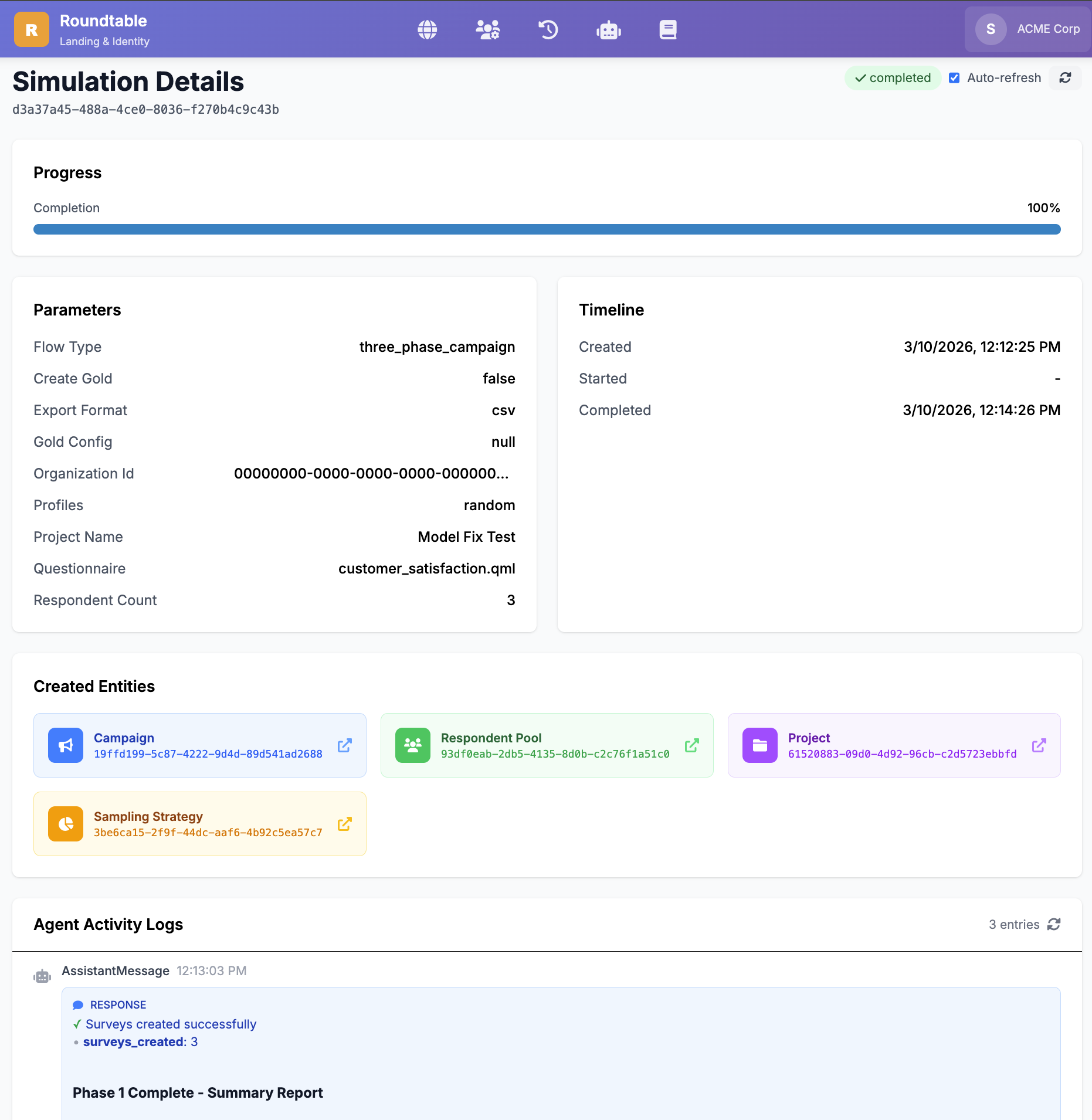
Run the project with synthetic respondents to walk the questionnaire flow, exercise the analysis, or build a demo dataset. Fills range from fast statistical ones to persona respondents that answer question by question with their own history — so one who said “unemployed” doesn’t describe a workplace later.
Simulation modes and personas
- Single — one survey, one persona
- Campaign — the full flow: preparation, execution, analysis
- Mass fill — bulk synthetic data
In the heaviest mode each respondent is a unique persona, and a Claude model answers question by question with the persona, its demographics and the answers so far. The simulated respondent never sees the Research Paper, so it cannot answer toward what the researcher hopes to find.
Portor · REST & MCP
Run the whole lifecycle from your own agent.
Every capability is a REST endpoint and one of 80+ Model Context Protocol tools. Connect Askalot to Claude Code, Cursor, Claude Desktop or your own framework, with whichever model you prefer — the agent operates the research, and the questionnaire it fields still has to pass the same verification.
Hosted agents, the plugin and the tool groups
Askalot’s own Designer, Manager, Analyst and Respondent agents run hosted, tuned with the Claude Agent SDK on the Anthropic API or AWS Bedrock with your credentials. The MCP tools work with any agent and any model.
Install the open Askalot plugin for Claude Code — agents, skills, slash commands and the MCP tools. Integrations
// An agent creates a campaign over MCP
create_campaign({
  name: "Q1 National Survey",
  project_id: "proj_abc123",
  questionnaire_id: "qst_def456"
})

// then draws a representative sample
generate_pool_from_strategy({
  strategy_id: "str_ghi789",
  pool_name: "National Sample Q1",
  requested_size: 1000
})
Built for research organizations that demand rigor
Dedicated & on-prem
A single-tenant organization with its own domain, database and resources, in any cloud or on your premises.
GDPR
Audit trails, data processing controls and respondent consent management in every workflow.
Access control & audit trail
Admin, Designer, Manager and Interviewer roles, and every action recorded with who did it and when.
Survey-methodology library
Agents consult ~30 methodology books and papers — Dillman, Krosnick, Groves, Tourangeau, Bethlehem — and cite the passage they used.
Free for everyone. Under contract when you need it.
Askalot OS is free to use, as-is, with no guarantees. When you need someone accountable, Askalot Survey & Research Kft. takes that responsibility under contract.